FlyBeeper True Air Speed
Manual
Operating Modes
The device operates in several modes.
The first mode is Bluetooth connection standby. Every 4 seconds, the device sends an advertising packet, allowing it to be detected for connection initialization. Between advertising packets, the device is in sleep mode. The time spent in this mode is limited only by the battery charge level. The power consumption is minimal, allowing the device to operate in this mode throughout the entire flight season.
As soon as the device receives a connection request, the second mode is activated. The connection does not require a preliminary device pairing procedure through the operating system interface. You can immediately launch the flight application and connect through its interface. The device name is FBTAS. Once connected, it is possible to read the battery level and subscribe to changes in sensor values. In the latter case, periodic reading of data from the necessary sensors is activated. The device is in sleep mode between intervals. When the Bluetooth connection is disconnected, the device returns to standby mode with periodic transmission of advertising packets.
Reconnection mode: In case of a lost connection, the device switches to a mode with an increased frequency of advertising packets for a few minutes to ensure quick reconnection. This mode is also activated immediately after pressing the reset button. This can be used to speed up the initial connection procedure in your application.
There is a transport mode where the device remains in sleep mode continuously and does not transmit any Bluetooth data. This mode is used during air transportation or for long-term storage between seasons. It is the mode with the lowest power consumption.
Placement
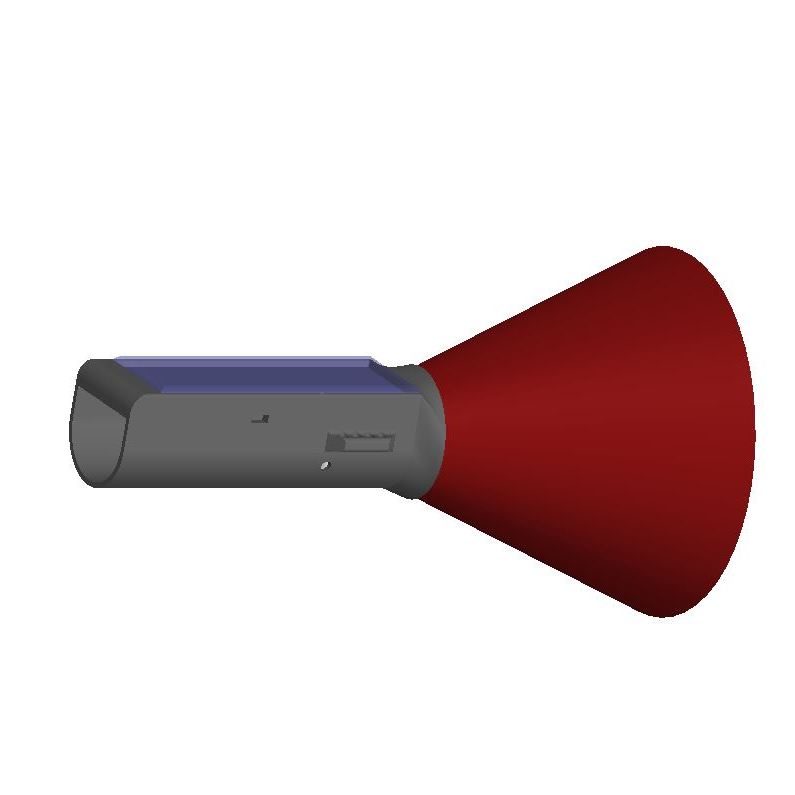
For Paragliders
The standard position is on the harness using a line with a length of 1 meter under the pilot, attached to the carabiner. The tail fin ensures self-alignment with the airflow. The line length should allow the device to be distanced from the pilot’s harness to avoid the influence of the compressed airflow. Insufficient distancing will result in speed readings being higher than actual. The device’s low weight and low frontal resistance help effectively counteract the pendulum effect, but if the line is too long, undesirable oscillations may occur.
In non-standard positions, such as attaching to the tail fairing of the harness, consider the compression/expansion of the airflow. This variation also depends on speed and will affect the device’s readings.
For Hang Gliders
A special mounting element should be used instead of the tail fin, which firmly fixes the device to the hang glider frame parallel to the plane of the wing. Do not place the device too close to the wing in the compression zone of the airflow.
Control
The device has no controls other than the reset button. The device is always ready to connect except when in transport mode.
To exit transport mode, press the reset button once. The button is small and located 1 mm from the edge of the casing. Be careful. Use a thin wooden or plastic stick to avoid accidentally shorting unprotected contact pads.
To activate transport mode, press the reset button once, then press it again after 1-2 seconds. If you have successfully entered transport mode, you will not be able to detect or connect to the device via Bluetooth.
Charging
The final device includes a built-in solar panel and does not require any other charging method. Recommend to put it on open air before use for 1 hour.
The prototype device has a USB Type C port for charging. It only supports simple chargers that consistently output 5V, such as USB ports on personal computers. Smart chargers and PD are not supported.
Configuration
You need a device with a Bluetooth module, such as a smartphone, laptop, or PC with Bluetooth. Click Connect and select FBTAS from the list. Keep the devices as close to each other as possible. Change any parameter and click Apply. You can view all the data sent by the device in real time on the Cockpit tab.
Pitot K factor (o.e.) - a calibration coefficient that accounts for the structural pressure loss in the Pitot tube and the pathway to the differential pressure sensor. Increasing this coefficient proportionally increases the IAS and TAS readings. Use TAS calibration service.
Differential Pressure offset, Pa - the offset of the differential pressure sensor relative to still air. The default is 0, as the standard sensor has built-in auto-calibration. However, in some experimental device models, you may need to adjust the offset to compensate for sensor drift.
List of Flight Programs with Direct Support
- xcTrack v.0.9.11.10+
- SeeYou Navigator v.3.0.6+
- LK8000 v.7.4.19+
Communication Protocol Description
This section is intended more for developers than for regular users.
The device operates using the BLE protocol without pairing and authorization. Changes to each parameter are available via subscription (descriptor 0x2902). All non-standard parameters have 128-bit UUIDs, descriptor 0x2901 with a textual parameter name, and descriptor 0x2904 with a description of the format, exponent, and unit of measurement. For convenience, their values are listed in the tables below.
Characteristics UUID for service 0x1819 LNS
| Name | UUID | Size | Exponent | Unit |
|---|---|---|---|---|
| Differential pressure | 234337bf-f931-4d2d-a13c-07e2f06a0240 | INT16 | -1 | Pascal |
| Indicated airspeed | 234337bf-f931-4d2d-a13c-07e2f06a0248 | INT16 | -1 | km/h |
| True airspeed | 234337bf-f931-4d2d-a13c-07e2f06a0249 | INT16 | -1 | km/h |
Characteristics UUID for service 0x181A ESS
| Name | UUID | Size | Exponent | Unit |
|---|---|---|---|---|
| Temperature | 0x2a6e | INT16 | -2 | Celcius |
| Pressure | 0x2a6d | UINT32 | -1 | Pascal |
Characteristics UUID for service 0x180F BAS
| Name | UUID | Size | Exponent | Unit |
|---|---|---|---|---|
| Battery level | 0x2a19 | UINT8 | 0 | Percent |
| Battery voltage | b0c889e8-16d2-45ef-b615-387f6bca2370 | INT16 | -3 | Volt |
Characteristics UUID for service 6E400001-B5A3-F393-E0A9-E50E24DCCA9E Nordic UART. This service is added for compatibility and is not recommended for use in new developments due to its higher energy consumption.
| Name | UUID | Size |
|---|---|---|
| TX | 6E400003-B5A3-F393-E0A9-E50E24DCCA9E | UINT8 array |
If there is no subscription to the characteristic 0x2a6d of the service 0x181A, the string with the pressure value in the PRS format will be written to TX.
If there is no subscription to the characteristic 234337bf-f931-4d2d-a13c-07e2f06a0248 or 234337bf-f931-4d2d-a13c-07e2f06a0249 of the service 0x1819, the string with the value TAS in the format $LXWP0 will be written to TX.
Characteristics UUID for service 0x180A DevInfo
| Name | UUID | Size | Value |
|---|---|---|---|
| Model Number | 0x2A24 | STRING | FBTAS |
| Manufacturer Name | 0x2A29 | STRING | FlyBeeper |
| Firmware Revision | 0x2A26 | STRING | 0.01 |
The device settings are available for reading and writing in the service 904baf04-5814-11ee-8c99-0242ac120000. Each setting has an individual 128-bit UUID and descriptors 0x2901 and 0x2904.
| Name | UUID | Size | Exponent | Unit |
|---|---|---|---|---|
| Pitot K factor | 904baf04-5814-11ee-8c99-0242ac120201 | INT16 | -3 | o.e. |
| Diffirencial Pressure offset | 904baf04-5814-11ee-8c99-0242ac120202 | INT16 | -1 | Pascal |