FlyBeeper SunVario
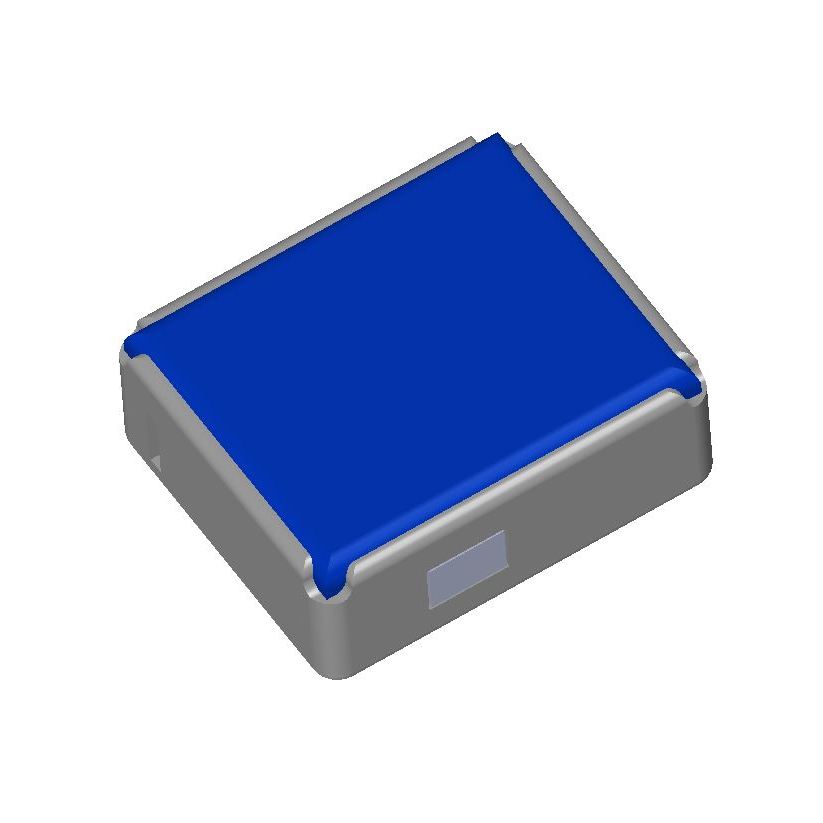
Manual
Device Operation Modes
The device operates in four modes:
Connection Standby Mode
As soon as the battery voltage exceeds the minimum level, the device turns on and enters the Bluetooth connection standby mode. Advertising slows down in three steps: every 100–150 ms for the first 30 seconds (fast reconnect), every 500–600 ms up to the two-minute mark, and once every 1.28 s after that. The device is found quickly right after power-on and costs almost nothing while nobody is looking for it. Between advertising packets, the device is in sleep mode.
External Pressure Sensor Mode
Bluetooth connection does not require pairing. The device name in the Bluetooth scan list starts with FBSV. As soon as the device receives a connection request, periodic battery level measurement is activated and the LED starts blinking. After establishing a connection, it is possible to read the battery level and subscribe to atmospheric pressure changes. In the latter case, periodic reading of the barometric sensor data is activated at a frequency of 62 times per second (every 16 ms). The data is filtered, smoothed, and sent to the subscriber 10 times per second. In between, the device is in sleep mode. When the Bluetooth connection is disconnected, the device returns to standby mode with periodic transmission of advertising packets.
Sound Variometer Mode
By pressing and holding the button, the device plays a melody and enters the sound variometer mode. A single press of the button changes the volume level. There are 3 levels in total. A double press and hold plays a melody, and the device enters silent mode.
Transportation Mode
For cases where the charge level is still high, but it is necessary to completely turn off the device, for example, for air transportation. On the back panel, find the hole for the Reset button. Press once and, 2 seconds after the LED blinks once, press again. To exit the mode, press the Reset button once.
Power, charging and runtime
Energy is stored in a 10 F lithium-ion capacitor, not a battery. You are not expected to charge it: the solar panel covers a flying day, and the capacitor carries the device through glides in shadow and the evening. USB-C is there for the case where the device sat in a dark bag for months.
The figures below were measured on a revision 8 device (16 August 2026). The bank’s working window is 3.8 → 2.7 V (11 C, 3.1 mAh); sun takes it to the top of that, while USB-C lifts it to about 3.5 V. The runtimes in the table are computed from 3.6 V, so treat them as conservative.
| Mode | Runtime |
|---|---|
| Silent, no Bluetooth, barometer stopped | ≈ 52 h |
| Beeping without a phone, occasional chirps | ≈ 18 h |
| Phone connected and subscribed, sound off | ≈ 10 h |
| Phone connected, volume 1, climbing half the time | ≈ 8.5 h |
| Phone connected, volume 2 | ≈ 7 h |
| Phone connected, volume 3 | ≈ 5.4 h |
Charging from flat to full on solar took 35 minutes in oblique August morning light; under a midday sun it is about five minutes. Over USB-C the whole working window fills in well under a minute, but the last few percent take noticeably longer than the first ones: near the top the charge is no longer delivered at a constant current.
The most expensive item is not the sound but the barometer poll: 62 measurements per second cost about 141 µA, while the first volume level adds 106 µA. That is why the sensor stops automatically when the volume is zero and no phone is connected — the device then lasts about twice as long.
The stated operating temperature is −5 °C and above. It very probably keeps working below that — the cold end is set by the capacitor’s behaviour, not the electronics — but the colder it gets, the more of the work falls to the sun.
List of Flight Programs with Direct Support
- xcTrack v.0.9.11.10+
- SeeYou Navigator v.3.0.6+
- LK8000 v.7.4.19+
- Flyskyhy v.8.2+
- FlyMe
- TheFlightVario XC 2.38+
- maps.flybeeper.com
Communication Protocol Description
This section is intended more for developers than for regular users.
The device operates using the BLE protocol without pairing and authorization. Changes to each parameter are available via subscription (descriptor 0x2902). All non-standard parameters have 128-bit UUIDs, descriptor 0x2901 with a textual parameter name, and descriptor 0x2904 with a description of the format, exponent, and unit of measurement. For convenience, their values are listed in the tables below.
Characteristics UUID for service 0x181A ESS
| Name | UUID | Size | Exponent | Unit |
|---|---|---|---|---|
| Pressure | 0x2a6d | UINT32 | -1 | Pascal |
Characteristics UUID for service 0x180F BAS
| Name | UUID | Size | Exponent | Unit |
|---|---|---|---|---|
| Battery level | 0x2a19 | UINT8 | 0 | Percent |
| Battery voltage | b0c889e8-16d2-45ef-b615-387f6bca2370 | INT16 | -3 | Volt |
Characteristics UUID for service 0x180A DevInfo
| Name | UUID | Size | Value |
|---|---|---|---|
| Model Number | 0x2A24 | STRING | FBSV |
| Manufacturer Name | 0x2A29 | STRING | FlyBeeper |
| Firmware Revision | 0x2A26 | STRING | 0.24 |